
 0 Items - $0.00
Corporate Gift Services
Do you look for professionalism? Do you appreciate great customer service? Does the perfect gift mean everything? If yes, then you have come to the right place for your Gift Basket giving needs. The Gift Basket Pros are committed to ensuring your happiness and satisfaction with each and every gift basket purchase you make. Our goal is simply not to make a sale, but to make relationships that will last for years to come.
You will find the perfect and most unique gifts for all of your special needs. From corporate, executive, and business related gift baskets to the sincerest of Get Well and Thank You gift baskets, The Gift Basket Pros will ensure your gift is of the best quality and price anywhere. We appreciate your business and look forward to assisting you.

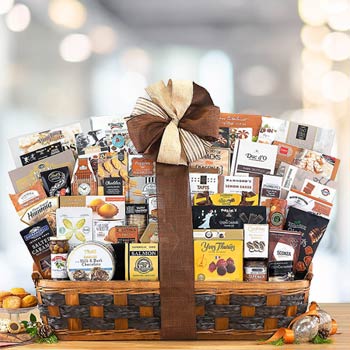
Corporate Gift Giving Made Easy!

Need to place a large order of gift baskets shipping to different locations? Use our optional large order form spreadsheet to save time. Simply plug in the address along with the gift you wish to order and send it to us and let us prepare your order for you. Our team will import your order and send you a confirmation before placing your order. Processing time is normally 15-30 minutes.

Save money with our large order discounts and free shipping on select gift baskets. The discounts are accumulative, so the more you order the more you save!

Have questions or need help? Contact one of our corporate gift representatives today. Let us show you why Fortune 500 corporations trust us with their holiday gift giving.

Start shopping our extensive selection of premium quality corporate holiday gift baskets for your clients and customers. Our award winning baskets are only the highest quality, we know the gift you send reflects upon your business and ours. Our corporate holiday gift baskets include the finest gourmet foods and famous brand name foods for the best quality.

























A Division of LSM Group Inc.
All Rights Reserved. New